
EVE-NG or GNS3? Pick EVE-NG if several people need the same labs from a browser, and GNS3 if you work alone and want a free tool you can run on your own machine. The bigger question for most readers is what each free option still allows: EVE-NG's free Freemium mode runs 7 nodes per EVE instance, while GNS3 is free with no node cap beyond your hardware.
Both EVE-NG and GNS3 let you build virtual networks without touching physical hardware. They're how network engineers test configurations, break things safely, and prep for certifications. But while they solve similar problems, they approach the solution in fundamentally different ways.
Here's the gist: EVE-NG shines for team collaboration and enterprise testing through its browser-based approach, while GNS3 excels at solo prototyping with its flexible, workstation-friendly design. If you would rather not run the server at all, CloudMyLab hosts both.
For transparency: CloudMyLab is an official EVE-NG hosting partner, tested and approved by EVE-NG Ltd, and we also host GNS3 and Cisco Modeling Labs.
Let's dig into which one actually fits your workflow.
EVE-NG vs. GNS3 at a glance
Here's how EVE-NG and GNS3 stack up for network emulation:
- EVE-NG is best for teams and enterprises because it runs as a centralized server with browser-based access. If you're teaching a class, running enterprise tests, or need multiple engineers accessing the same labs, EVE-NG's architecture makes more sense. Just know that the free tier is limited: since EVE-NG v7, the free option is Freemium mode (7 nodes per EVE instance, admin-only), and the older 63-node Community Edition is marked end-of-life, so larger labs need a paid license.
- GNS3 is best for individual engineers and small prototypes who want maximum flexibility without upfront costs. It's perfect for spinning up quick topologies on your laptop, integrating Linux services, and moving fast. But once your topology outgrows your workstation or you need team access, you will feel it.
- CloudMyLab hosted environments are best for teams that value their time over DIY infrastructure management. You get either platform managed on our servers, with support when things break. CloudMyLab hosts EVE-NG, GNS3 and Cisco CML2.0.
|
|
EVE-NG |
GNS3 |
|---|---|---|
|
Best for |
Multi-user teams, enterprise testing, training classes |
Solo engineers, quick prototyping, workstation builds |
|
Architecture |
Centralized server with web UI |
Distributed (local GUI + optional server) |
|
Setup complexity |
Server appliance deployment |
Quick local start, complex at scale |
|
Multi-user support |
Separate admin, editor and user roles with an RBL license; RADIUS and Active Directory sign-in in every edition |
2.2: shared server, no user isolation; 3.x: users, groups and roles |
|
Performance at 20+ nodes |
Predictable on proper hardware |
Can strain workstations quickly |
|
Automation readiness |
Ansible, Python, Terraform friendly (API with a paid license) |
Ansible, Python, Terraform friendly |
|
Project portability |
Export/import labs |
.gns3project bundles everything |
|
Free tier limitations |
Freemium: 7 nodes per EVE instance, admin-only |
Fully functional core |
|
Learning curve |
Moderate (server mindset needed) |
Gentler for beginners |
|
Total cost at scale |
Paid license + infrastructure |
Hidden hardware/time costs |
EVE-NG gives you centralized control, but at a price
EVE-NG takes the server approach. You deploy it as a virtual appliance, and everyone accesses labs through their browser. No client software, no version mismatches, just a URL and credentials.
That model suits shared work. When several engineers need the same topology, everyone opens the same lab in a browser, so there are no "it runs on my machine" arguments. Our EVE-NG Pro guide covers the paid editions in more depth.
Worth knowing before you plan around the free tier: it is sized for evaluation, not for full study topologies. Since EVE-NG v7, the free option is Freemium mode, which EVE-NG lists as "7 nodes per EVE instance", admin-only (VPCS nodes are unlimited). The older 63-node Community Edition is marked end-of-support and end-of-life as of June 2026, though its ISO is still downloadable. For any serious work, certification prep with realistic topologies, team collaboration, enterprise testing, you need a paid license.
EVE-NG sells two paid licenses, Base and RBL (role-based licensing). A paid license changes two things:
- Up to 1,024 nodes per lab (reaching that ceiling takes serious hardware behind it)
- Separate admin, editor and user roles, with RBL only (Base is admin-only, with two concurrent admins)
Much of what used to be called "Pro features" is in every edition, Freemium included: EVE-NG's features comparison lists hot connections on running nodes, link quality (delay, packet loss, jitter), RADIUS and Active Directory sign-in, Docker containers, integrated Wireshark and EVE Cluster for multi-server setups in all three. EVE-NG v7 runs on an Ubuntu 24.04 base.
Setup reality check: While EVE-NG runs as a server appliance, don't underestimate the initial setup. You'll need to size your hardware properly (think server-class CPUs, NVMe storage, and lots of RAM), configure networking, and potentially integrate with your auth systems. It's not rocket science, but it's not a five-minute install either.
GNS3 offers flexibility for solo builders
GNS3 takes a different philosophy. It's a toolkit rather than a platform. You install the GUI locally, and it orchestrates device emulation either on your workstation or connected to remote compute resources (like the GNS3 VM).
This flexibility is GNS3's superpower for individual users. Need to quickly test a three-router OSPF setup? Spin it up locally. Want to integrate Wireshark captures or Docker containers? Drag and drop. Building a topology you'll reuse? Package it as a portable .gns3project file.
The learning curve is gentle, and the community is large: most first-lab problems already have an answer on the GNS3 subreddit. GNS3 3.0 and later add a web UI and user management with users, groups and roles.
But (and it's a big but), GNS3 shows its limitations as you scale:
- Resource use depends on the images: a lab of IOL nodes fits where the same number of CSR1000v or Nexus 9000v nodes will not
- The distributed architecture means troubleshooting gets complex fast
- On GNS3 2.2, a shared server has no user isolation; user roles arrive with GNS3 3.x
- You become your own platform engineer, managing compute, storage, and networking
The portable project advantage: One thing GNS3 absolutely nails is portability. The .gns3project format bundles your topology, configs, and device settings into a single portable file (vendor images aren't included due to licensing, so you'll need those separately). This makes sharing labs or moving between machines dead simple, something EVE-NG makes you work harder for.
Want to share a lab with a colleague? Export to .gns3project, send the file, they import and run, as long as they have the same images. This alone makes GNS3 fantastic for creating training materials or troubleshooting scenarios you can hand off to others.
Performance and scaling tell the real story
Let's talk about what happens when your labs grow beyond toy examples.
With EVE-NG on proper server hardware, performance is predictable. Run 50 CSR1000v routers? Sure, if you've got the RAM. The centralized architecture means you plan once, deploy once, and everyone gets consistent performance. Resource monitoring is straightforward since everything runs in one place.
GNS3's distributed model creates interesting challenges. Your topology might span your laptop (running the GUI), a local VM (running some devices), and a remote server (running heavier appliances). When something goes wrong (and it will) you're troubleshooting across multiple systems.
The sweet spot depends on your use case. As a rough guide for lightweight images such as IOL and IOSv (heavier images such as Nexus 9000v reach each step sooner):
- Under 10 nodes: Either platform works fine locally
- 10-20 nodes: Start planning for dedicated resources
- 20+ nodes: Centralized (EVE-NG) or remote compute (GNS3 server) becomes necessary
- 40+ nodes with multiple users: This is where hosted solutions start making serious sense
Real-world tip: If you're going DIY with either platform at scale, invest in server-class hardware upfront. Consumer gear will frustrate you. Size the server for the images you actually run: add up the CPU and memory each node needs, and use NVMe storage.
Even with that hardware in place, scaling the number of emulated nodes only tells part of the story. Neither EVE-NG nor GNS3 is built to prove line-rate throughput, run RFC 2544 or RFC 2889 conformance tests, or validate the timing precision of PTP and SyncE, all of which still belong on physical gear. If you are working out where emulated results stop being enough, that boundary comes with a checklist of what to never sign off on virtual evidence alone.
Multi-user collaboration changes everything
If you're working solo, skip this section. But if you need multiple people accessing labs, for training, team testing, or paired troubleshooting, the platform choice becomes obvious.
EVE-NG with an RBL license is built for multi-user scenarios:
- Admin, editor and user roles, with users locked to folders and edit rights (RBL)
- RADIUS and Active Directory sign-in (every edition)
- Admins can join another user's lab and open a parallel console (every edition)
- Per-user CPU and RAM quotas (every edition)
With GNS3 2.2, multi-user access means a shared server where, in GNS3's own documentation, "there is no user isolation, all users can view all projects and modify them". GNS3 3.0 adds users, groups and roles, which closes much of the gap. On a 2.2 server, the usual symptoms are one engineer connected while another times out, or a restore that wipes a colleague's topology, and the causes behind that inconsistent access are structural rather than user error.
Example: a class practising the same BGP lab. In EVE-NG you build the lab once and share it through a shared lab folder, and each student works on it in the browser. On a GNS3 2.2 server, the same class shares one project space, so one student's change is everyone's change.
But here's something interesting. For certain use cases, a server without user management is actually a benefit. No user management means no user management overhead. Sometimes simple is better, especially for small teams that trust each other.
Pricing isn’t what you think
Everyone loves to talk about GNS3 being "free" and EVE-NG having a cost. Here is what you actually pay for.
GNS3's "free" reality:
- Software: $0
- A workstation or server sized for your images
- Your time when things break
- Scaling beyond your laptop: GNS3 VM or dedicated servers
EVE-NG's actual costs:
- Freemium mode: Free (7 nodes per EVE instance, admin-only; this replaced the Community Edition, which is marked end-of-life as of June 2026)
- EVE-NG Base: listed at 150 EUR (admin-only, 1,024 nodes per lab)
- EVE-NG RBL: listed at "150 EUR + Added Roles"
- Server hardware sized for your images
- Time maintaining the platform: Still significant
Freemium replaced the Community Edition with EVE-NG v7, and it catches people out mid-study. If the 7-node ceiling is the constraint you are running into, we walk through each way around it in EVE-NG's free tier is now 7 nodes.
But here's what nobody talks about: the hidden cost of being your own platform engineer. At enterprise scale, maintaining a DIY lab environment eats significant engineering time — time your team could spend on actual network work.
Note: Prices and editions change, so confirm them on the EVE-NG features comparison before you buy.
The TCO calculation gets even more complex when you factor in:
- Power and cooling for your hardware
- Backup and disaster recovery solutions
- Software updates and security patches
- Training time for new team members
- Downtime when things inevitably break
CloudMyLab hosted options might save your sanity
For anything beyond personal learning, hosting takes the server work off your plate.
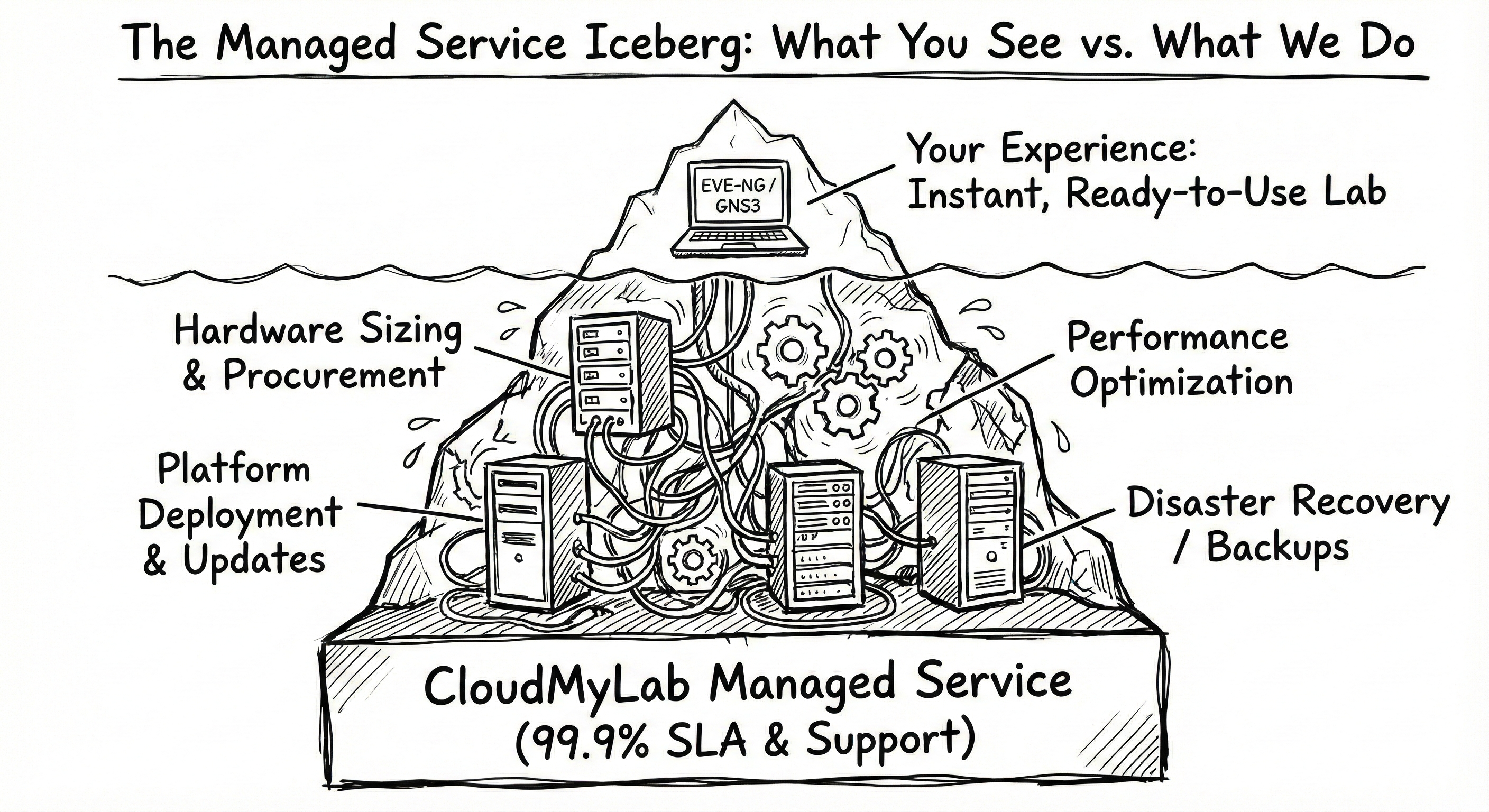
CloudMyLab offers both EVE-NG and GNS3 as managed services. You pay monthly, they handle everything else:
- Hardware sizing and procurement
- Platform deployment and updates
- Performance optimization
- 24/7/365 priority support
Try it before you price it
Before you price hosting against a hardware quote, run one of your labs on hosted EVE-NG Professional and see how it behaves on infrastructure you do not maintain. You bring your own images, or our team can purchase licenses for you, and there is no long-term contract. Start with a free 24-hour trial of hosted EVE-NG, then look at pricing.
Check out our pricing for EVE-NG hosting
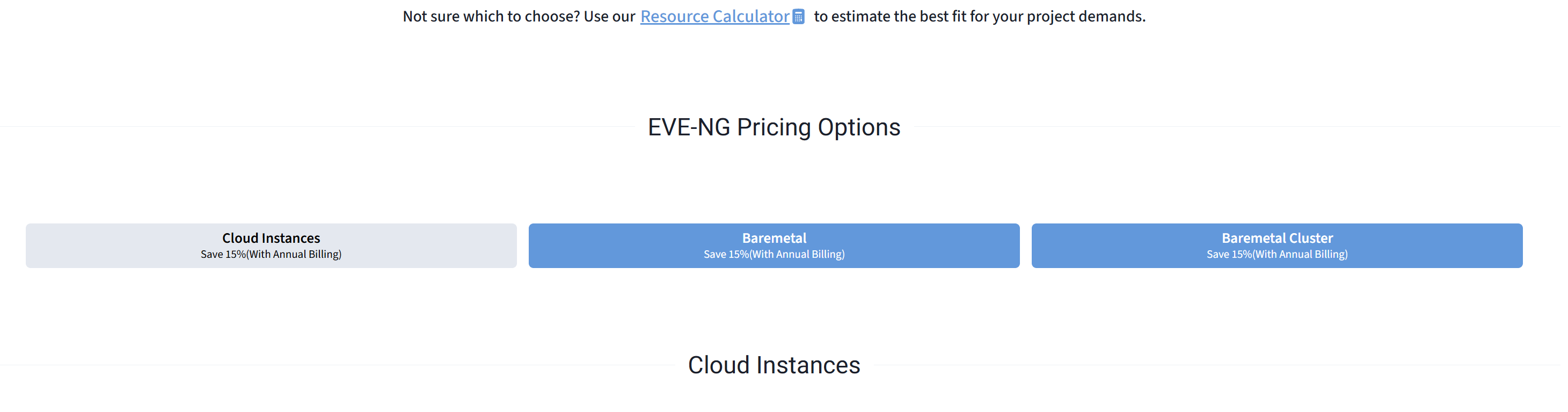
and the pricing for GNS3 hosting
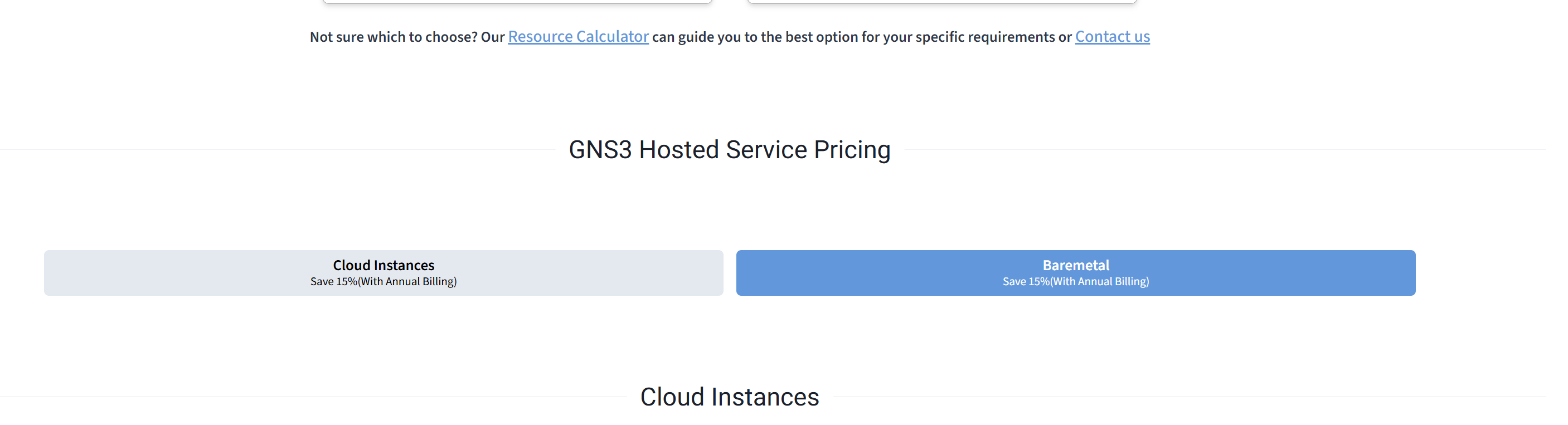
with CloudMyLab hosted you get predictable monthly fee, no surprises, and you can start tomorrow.
The migration is straightforward too. Export your EVE-NG labs or GNS3 projects and upload them to the hosted environment, together with the images you are licensed for.
The intangible benefits: Hosted labs also give you someone to call. When a critical customer demo is tomorrow and your lab environment crashes at 8 PM, having actual support to call changes everything. That's not something you can easily quantify, but anyone who's been there knows the value.
Support and the community factor
Both platforms have vibrant communities, but they're different beasts.
The GNS3 community is massive and incredibly helpful. The subreddit is active, the forums are full of solutions, and there's a YouTube video for nearly everything. It's very much a "help yourself and others will help you" vibe.
EVE-NG's community is smaller but more focused on enterprise use cases. You'll find fewer hobbyists and more people solving production problems. The official forums are decent.
For official support:
- GNS3: Community-driven: forums, documentation and the subreddit
- EVE-NG: Community support for the free Freemium mode, professional support with paid licenses
- CloudMyLab: 24/7/365 priority support included
This matters more than you might think. When you're stuck at 2 AM trying to get a lab working for tomorrow's presentation, the quality of available help can make or break you.
Real device support comparison
Both platforms support extensive device libraries, but there are nuances:
EVE-NG device support:
- Cisco (IOSv, IOSvL2, ASAv, CSR1000v, Nexus 9000v, etc.)
- Juniper (vSRX, vMX, vQFX)
- Arista (vEOS)
- Fortinet (FortiGate)
- Palo Alto (VM-Series)
- F5 (BIG-IP VE)
- And many more through QEMU/KVM
GNS3 device support:
- Similar vendor coverage through appliance marketplace
- Easier custom Linux appliance integration through appliance templates
- Built-in Wireshark capture from the GUI (EVE-NG lists integrated Wireshark capture in every edition too)
The real difference isn't what's supported, but how you get images working. GNS3's appliance template system makes importing new devices straightforward. EVE-NG requires more manual image preparation, but once configured, devices are rock-solid.
What about CML, PNETlab, and Containerlab?
EVE-NG and GNS3 aren't your only options. Three other tools are worth knowing.
Cisco Modeling Labs (CML) is Cisco's own emulation platform. It is the one option that ships Cisco's own reference images, licensed for use inside CML only, and Cisco's documentation says nodes can also run third-party VM images. CML-Free runs up to 5 nodes; our guide to what each CML tier costs and allows covers the rest.
PNETlab is where things get interesting. It started as a fork of EVE-NG Community and offers, for free, a lab store for sharing topologies and no node cap. Students and home lab builders picked it up fast. The problem? EVE-NG has publicly called it an unauthorized fork. If you're building skills for a production environment, betting on a platform with contested legal standing is worth thinking about carefully.
Then there's Containerlab, which does something completely different. You define the lab as a YAML file, and it runs container-native network operating systems such as Nokia SR Linux, Arista cEOS and FRR, which start in seconds and fit CI/CD pipelines. Most Cisco images are full virtual machines, and Containerlab runs those inside containers through vrnetlab, so they still need their full CPU and memory. To see where Containerlab sits next to EVE-NG, GNS3, CML, and hosted options for team labs, read how the main emulation platforms rank for enterprise use.
For multivendor labs built from VM images, EVE-NG and GNS3 remain the usual choice. These three fill the gaps they leave.
Which emulator is best for CCNA, CCNP, or CCIE prep?
CCNA: Either platform works. GNS3 is the faster start: install it, add the images you are licensed for, and you are building labs the same day. CML-Free (5 nodes, Cisco images included for use in CML) is the other low-cost route. EVE-NG works too, but its free path is Freemium mode: the 7-node cap fits small CCNA topologies but little else, so larger labs need a paid license or a hosted environment. At this level, Packet Tracer is also a viable option for basic switching and routing concepts
CCNP: This is where GNS3 starts showing strain. CCNP labs often need a dozen or more devices running simultaneously with BGP, OSPF, and redistribution scenarios. GNS3 handles this on a decent workstation, but EVE-NG's centralized architecture makes the experience smoother — especially if you're part of a study group. The browser-based access means you can build a lab on your home server and study from anywhere.
CCIE: Plan for a paid EVE-NG license on a server, or a hosted lab. CCIE lab topologies are large, with multiple routing protocols, security appliances, and service provider configurations running simultaneously. You need server-class hardware and stable resource management. At this level, the platform shouldn't be something you think about.
EVE-NG vs. GNS3: Which emulator should you choose?
Here is how to decide:
Choose EVE-NG if:
- You need multiple people accessing the same lab infrastructure
- You need separate user roles (RBL) or RADIUS/Active Directory sign-in
- You want centralized management and monitoring
- Browser-based access fits your workflow
- A paid license fits once your labs pass 7 running nodes
Choose GNS3 if:
- You're learning solo or building personal projects
- Maximum flexibility and tool integration is critical
- You need portable projects that move between systems
- You're comfortable troubleshooting distributed systems
- Free-as-in-freedom matters to your use case
Choose CloudMyLab hosted (either platform) if:
- Your time is worth more than infrastructure costs
- You need predictable performance at scale
- Multiple team members need concurrent access
- You'd rather focus on networking than platform management
To learn more about CloudMyLab, contact us.
Bottom line: Both EVE-NG and GNS3 are mature, capable platforms. The "best" choice depends entirely on your constraints. Solo learning on a budget? GNS3 gets you started fastest. Team collaboration with separate roles? EVE-NG with an RBL license is built for it. Need it to just work? Hosted solutions remove the infrastructure headache.
One final thought: your choice isn't permanent. A common path is GNS3 on a laptop first, EVE-NG on a server as labs grow, and hosted when running the server stops being worth the time. The skills transfer, and most importantly, the networking knowledge you gain works everywhere.
Related reading:
- EVE-NG Community vs Professional: Which tier do you actually need?
- What is a GNS3 VM and when do you need one?
Learning resources:
- The EVE-NG subreddit for deployment questions
- GNS3 Academy offers structured learning paths
- CloudMyLab's support portal
FAQ
Is EVE-NG or GNS3 better for Cisco CCNA/CCNP practice?
Both work. For solo practice, GNS3 is free with no node cap beyond your hardware, and EVE-NG Freemium covers topologies of up to 7 running nodes. For study groups or boot camps, EVE-NG's shared labs and roles help. If you would rather not maintain the lab server, either one can be hosted on CloudMyLab.
Which handles enterprise multi-vendor testing better?
EVE-NG with a paid license. The centralized server, role-based access with RBL, and RADIUS or Active Directory sign-in fit enterprise workflows. GNS3 can do it, but you'll spend significant time building supporting infrastructure.
Can I automate labs with Ansible/Terraform on both?
Absolutely. Both platforms play nicely with Ansible and standard automation tools. The difference is in execution stability and concurrent access when multiple automation runs happen simultaneously.
What if I outgrow my laptop?
This is where the paths diverge. With GNS3, you'll add the GNS3 VM or build a dedicated server. With EVE-NG, you'll deploy the server appliance from the start. Or skip the server entirely with a hosted lab.
How does pricing work for teams?
DIY costs are dominated by hardware and the hidden cost of platform maintenance. Hosted options shift this to predictable monthly operational expense. For a team, compare the hosted monthly fee with the hardware and the hours someone spends maintaining it.
Is the EVE-NG free tier 7 nodes or 63?
Seven running nodes is the limit you hit. EVE-NG's features comparison lists Freemium as "7 nodes per EVE instance" under node limits, and separately lists a "Node limit per lab" of 63. VPCS endpoints are unlimited on top. The paid Base and RBL licenses list 1,024 nodes per lab.
Which is better, PNETlab or EVE-NG?
PNETlab offers more features for free, including no node cap and a community lab store, since EVE-NG's free tier is the 7-node Freemium mode introduced in v7. EVE-NG is commercially backed with enterprise support, regular updates, and official partnerships with hosting providers like CloudMyLab. For learning and home labs, PNETlab works. For anything professional, EVE-NG's stability and support ecosystem makes it the safer bet.